Introduction
Artificial intelligence is reshaping the software development landscape, transforming how teams plan, code, test, and maintain applications. From AI-powered coding assistants to automated testing agents, these tools are streamlining workflows and boosting productivity. This guide provides a practical, step-by-step approach to integrating AI into your software development lifecycle. Whether you're a developer, team lead, or IT manager, you'll learn how to leverage AI at every stage—from initial planning to ongoing maintenance. By the end, you'll have a clear roadmap to harness AI's potential while avoiding common pitfalls.

What You Need
- AI-enabled development tools (e.g., GitHub Copilot, Tabnine, Amazon CodeWhisperer)
- Basic understanding of the software development lifecycle (SDLC)
- A development environment (IDE, version control, CI/CD pipeline)
- Team buy-in and training resources
- Access to relevant datasets (for training or fine-tuning AI models)
- Time for experimentation and iteration
Step-by-Step Guide
Step 1: Assess Your Current Process and Identify Opportunities
Begin by mapping out your existing development workflow. Document each phase: planning, design, coding, testing, deployment, and maintenance. For each phase, ask where AI could add value—reducing repetitive tasks, improving accuracy, or accelerating decision-making. Common opportunities include:
- Planning: AI can analyze historical data to predict project risks.
- Coding: Auto-complete and code generation save hours.
- Testing: AI can generate test cases based on code changes.
- Deployment: AI monitors logs to detect anomalies.
Prioritize areas where manual effort is high and AI impact is low-hanging fruit. This assessment will guide your tool selection and implementation order.
Step 2: Choose AI Tools for Planning and Design
Start with the earliest stages of the SDLC. Explore AI-powered project management tools that use natural language processing to draft user stories, estimate effort, and flag dependencies. For design, consider tools that generate UI wireframes from text descriptions or suggest architecture patterns based on requirements. Example tools: Jasper AI for requirements writing, Uizard for wireframes. Evaluate how these integrate with your existing stack (e.g., Jira, Confluence). Pilot with one small project to gauge effectiveness.
Step 3: Implement AI-Assisted Coding
This is where many teams see immediate gains. Deploy an AI coding assistant within your IDE. Configure it to your codebase and coding standards. Use it for:
- Auto-completing lines and blocks of code.
- Generating boilerplate (e.g., CRUD endpoints, unit tests).
- Suggesting refactors or alternative implementations.
- Explaining unfamiliar code in natural language.
Encourage developers to treat AI suggestions as starting points—always review, test, and adapt. Establish a feedback loop: when AI makes a poor suggestion, provide corrective input to improve future recommendations.
Step 4: Automate Testing with AI
AI can dramatically speed up testing. Integrate AI-powered test generation tools that analyze code changes and automatically produce unit, integration, and regression tests. Also employ AI for visual testing (comparing screenshots) and performance testing (simulating load patterns). Example tools: Testim for functional testing, Applitools for visual testing. Set up a pipeline where AI tests run on every commit, flagging flaky tests for human review. Over time, let AI prioritize which tests to run based on code coverage and risk.
Step 5: Use AI for Deployment and Monitoring
Deployments benefit from AI-driven anomaly detection and rollback recommendations. Configure your CI/CD tool to use AI for canary analysis—compare metrics between old and new versions and automatically roll back if metrics degrade. For monitoring, employ AIOps platforms that correlate logs, metrics, and traces to pinpoint root causes. For instance, an AI agent could alert you to a memory leak before users are impacted. Train these models on your historical incident data for more accurate predictions.
Step 6: Continuously Improve and Retrain AI Models
AI is not a set-it-and-forget solution. Establish a regular cadence (e.g., quarterly) to evaluate AI performance against key metrics: code accuracy, test pass rate, deployment success rate. Collect feedback from developers and testers. Update training data with new code patterns, bug fixes, and user preferences. As AI agents advance, revisit your toolchain—new capabilities may replace earlier approaches. Document lessons learned and share best practices across teams.
Tips for Success
- Start small: Pilot AI on one project or one phase (e.g., coding) before scaling.
- Measure impact: Track time saved, defect reduction, and developer satisfaction.
- Ensure data privacy: Use enterprise-grade tools that don’t share your code externally unless permitted.
- Train your team: Provide workshops on prompt engineering and AI ethics.
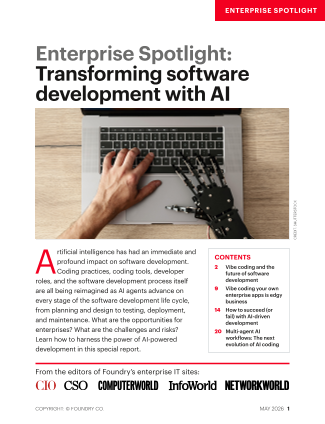
- Stay current: The field evolves rapidly. Read the May 2026 issue of the Enterprise Spotlight from CIO, Computerworld, CSO, InfoWorld, and Network World for deep insights and case studies. Download it here to learn how leading enterprises are harnessing AI-enabled development.
- Combine human judgment with AI: Always validate AI outputs—tools augment, not replace, skilled developers.
To dive deeper, download the May 2026 Enterprise Spotlight issue — a comprehensive report from the editors of CIO, Computerworld, CSO, InfoWorld, and Network World.